Momentary vs. Latching Metal Push Buttons: How to Choose the Correct Type
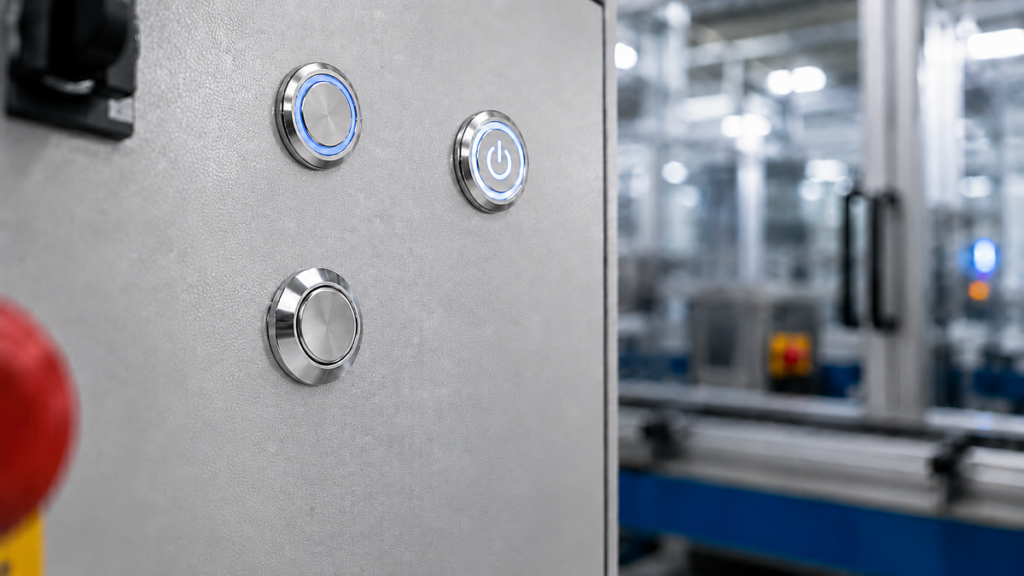
Metal push buttons are widely used in industrial equipment, access control systems, coffee machines, water dispensers, charging stations, and electronic devices. Although two buttons may look similar, their operating methods can be different.
The correct type should be selected according to the circuit design and control logic, not only according to the equipment name. A momentary push button provides a temporary signal and returns after release. A latching push button maintains its selected position or contact state until it is operated again.
What Is a Momentary Metal Push Button?
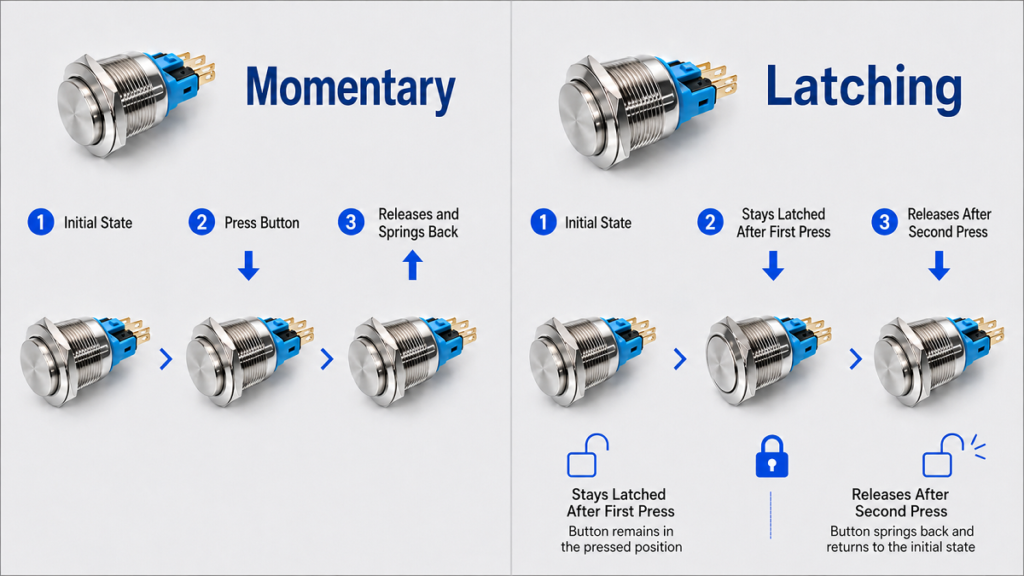
A Momentary Metal Push Button changes its contact state only while it is pressed. When the operator releases the actuator, an internal spring returns the button and contacts to their original positions.
Momentary buttons are suitable when equipment requires a short command. Common applications include machine start, stop, and reset signals, jog control, door release, PLC inputs, coffee brewing, and water dispensing.
A machine may continue operating after the button is released. In this case, a PLC, relay, contactor, timer, or electronic controller maintains the operating state. The push button only sends the initial command.
Applications in Coffee Machines
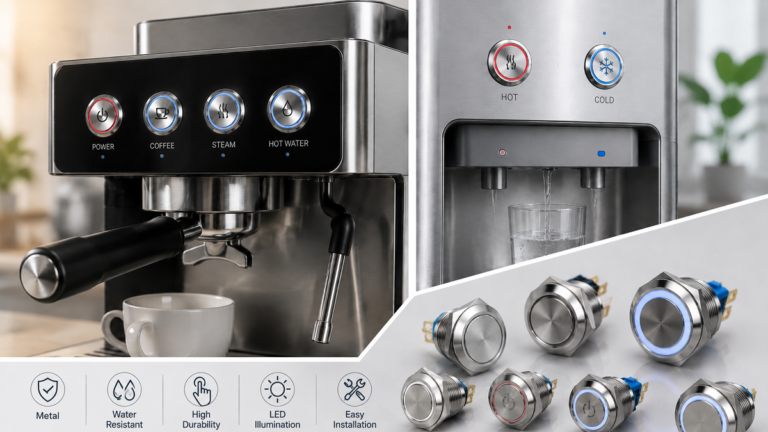
Modern coffee machines commonly use electronic control boards to manage brewing time, temperature, pumps, valves, steam, cleaning cycles, and status indication.
For this reason, buttons used for brewing, cup-size selection, hot-water output, steam control, rinsing, cleaning, and reset are generally momentary.
When the user presses a brewing button, it sends a short signal to the controller. The controller then operates the required components for the programmed period. The button does not need to remain mechanically locked after release.
A main power control may still use a maintained rocker switch, selector switch, or latching push button. However, normal operating buttons on electronically controlled coffee machines are more commonly momentary.
Applications in Water Dispensers
Many modern water dispensers also use electronic controllers. A momentary button can send a signal for water dispensing, child-lock release, timed output, or electronic mode selection.
After the user presses the dispensing button, the controller may operate a pump or solenoid valve for a preset period. The button only sends the command.
Some simpler water dispensers use maintained rocker switches or latching controls for heating, cooling, or main power. These controls remain in the selected ON or OFF state until they are operated again.
Therefore, a water dispenser may use momentary buttons for dispensing and electronic functions while using maintained switches for independent power control.
What Is a Latching Metal Push Button?
A Latching Metal Push Button keeps its changed position or contact state after release. In a common push-on, push-off design, the first press changes the state and the second press returns it to the original condition.
A latching model is suitable when the switch itself must maintain the selected ON or OFF state. Typical applications include simple equipment power control, manual lighting control, small test devices, and maintained mode selection in non-safety-critical circuits.
A latching button should switch a load directly only when its electrical rating and switching capacity are suitable. Motors, heaters, pumps, and solenoids should normally be controlled through a relay, contactor, or electronic control module.
How to Choose the Correct Type
The same machine may use both momentary and maintained controls. A coffee machine may use momentary buttons for brewing and cleaning but a maintained switch for main power. A water dispenser may use a momentary button for dispensing but maintained switches for heating or cooling power.
The key question is:
Does the equipment require only a short command, or must the switch itself maintain the selected state?
Choose a momentary button when another component maintains operation after receiving a short signal. Choose a latching button when the button itself must keep the circuit in the selected state after release.
Contact Configuration and Key Parameters
Momentary and latching describe how the actuator operates. They do not determine the contact arrangement. Either type may use normally open, normally closed, 1NO1NC, or multiple contact combinations.
Before ordering, confirm:
- Operating type
- Contact configuration
- Rated voltage and current
- AC or DC circuit
- Load type
- LED voltage and color
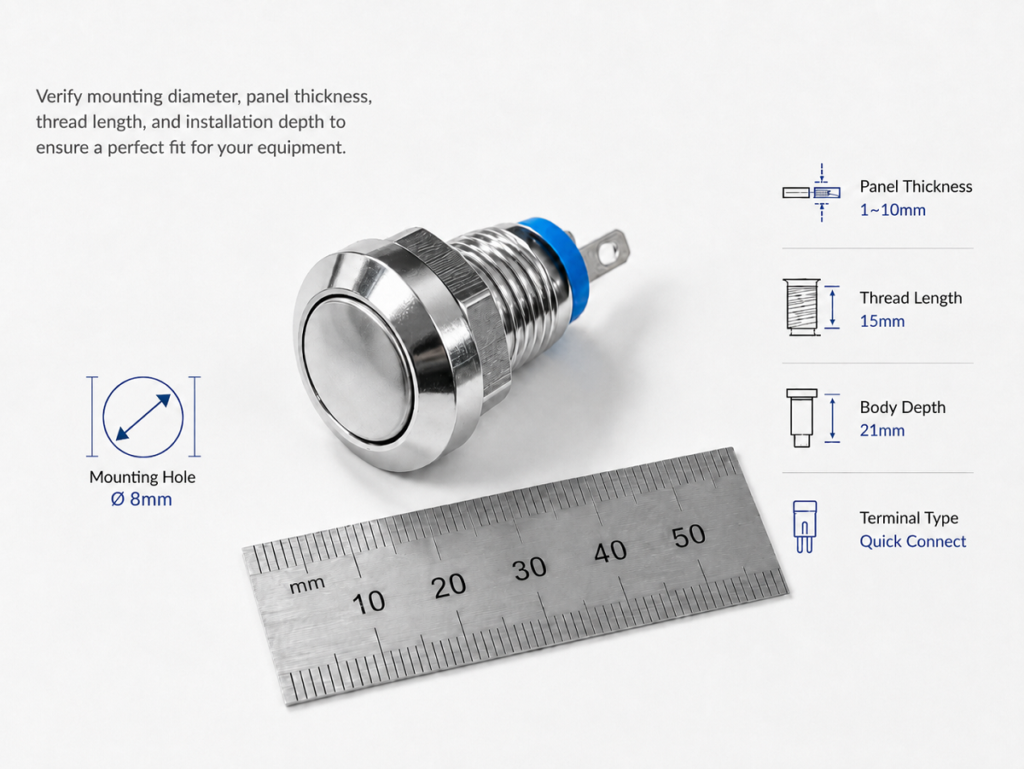
- Mounting-hole diameter
- Panel thickness
- Terminal configuration
- Required IP protection
- Working environment
The LED circuit may be independent of the switching contacts. Depending on the wiring, it may indicate power availability, button operation, or equipment status.
Safety Considerations
A standard latching push button must not replace a dedicated emergency stop device. Emergency stop functions require an appropriate actuator, safety contacts, a mechanically held stop position, deliberate manual reset, and a correctly designed safety circuit.
For high-load equipment, the metal push button should normally send a control signal to a relay, contactor, or control module rather than switching the main load directly.
Conclusion
Use a Momentary Metal Push Button when the equipment requires a temporary command or when another control component maintains operation after the button is released.
Use a Latching Metal Push Button when the button itself must maintain the selected ON or OFF state.
For coffee machines, momentary buttons are generally more suitable for brewing, steam, hot-water, cleaning, and other electronically controlled functions. For water dispensers, momentary buttons are commonly used for dispensing and electronic commands, while maintained switches may be used for heating, cooling, or main power control.
The most reliable selection method is to check the circuit design, control logic, contact arrangement, electrical ratings, LED parameters, installation dimensions, and working environment rather than choosing only according to the equipment name.